
Tango tutorials.
Your dashboard, connecting your email, and connecting your social media profiles.
Your Tango dashboard
Keep track of all your leads from your dashboard at login.tangomarketing.co. This short video walks you through it.
How to connect your email
Once your email is connected you can send and receive emails directly from a contact's page in your dashboard.
Log in to your dashboard
Go to login.tangomarketing.co.
Go to Settings, then My Profile
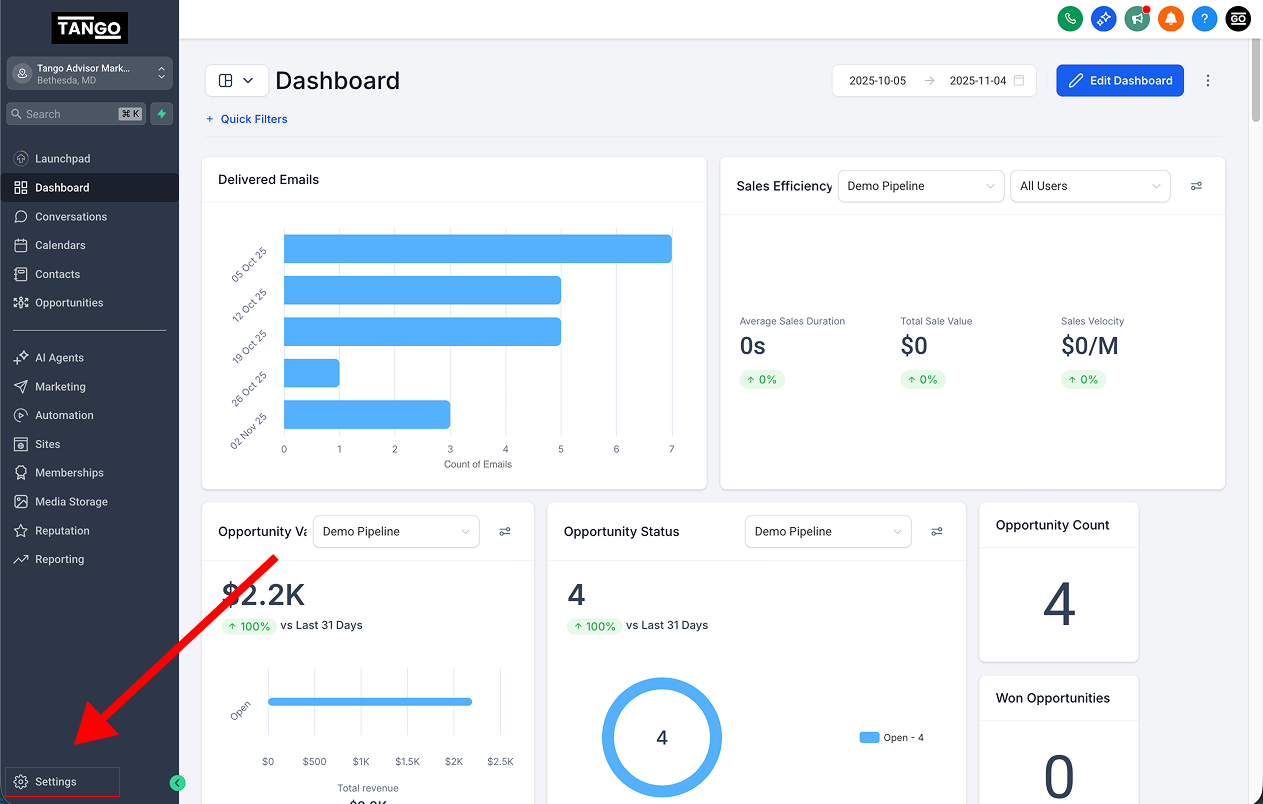
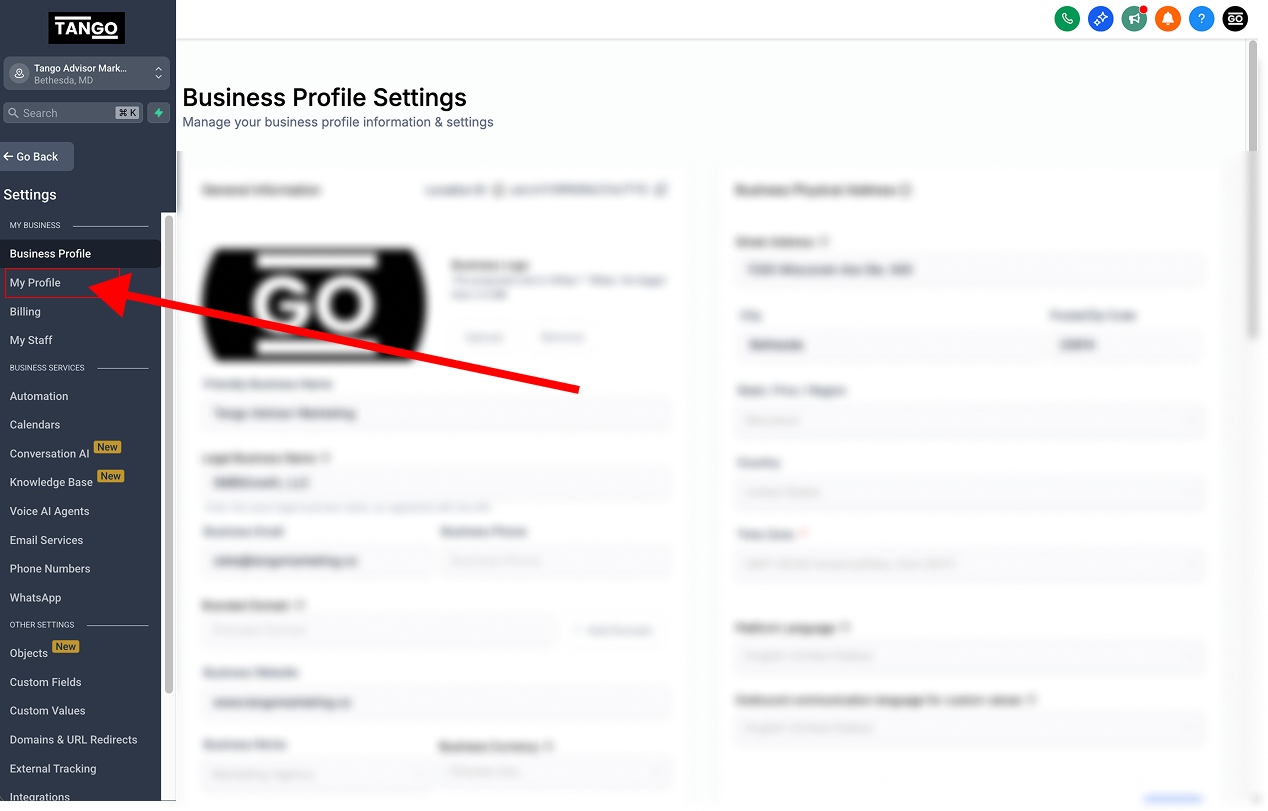
Scroll down to "Email Sync"
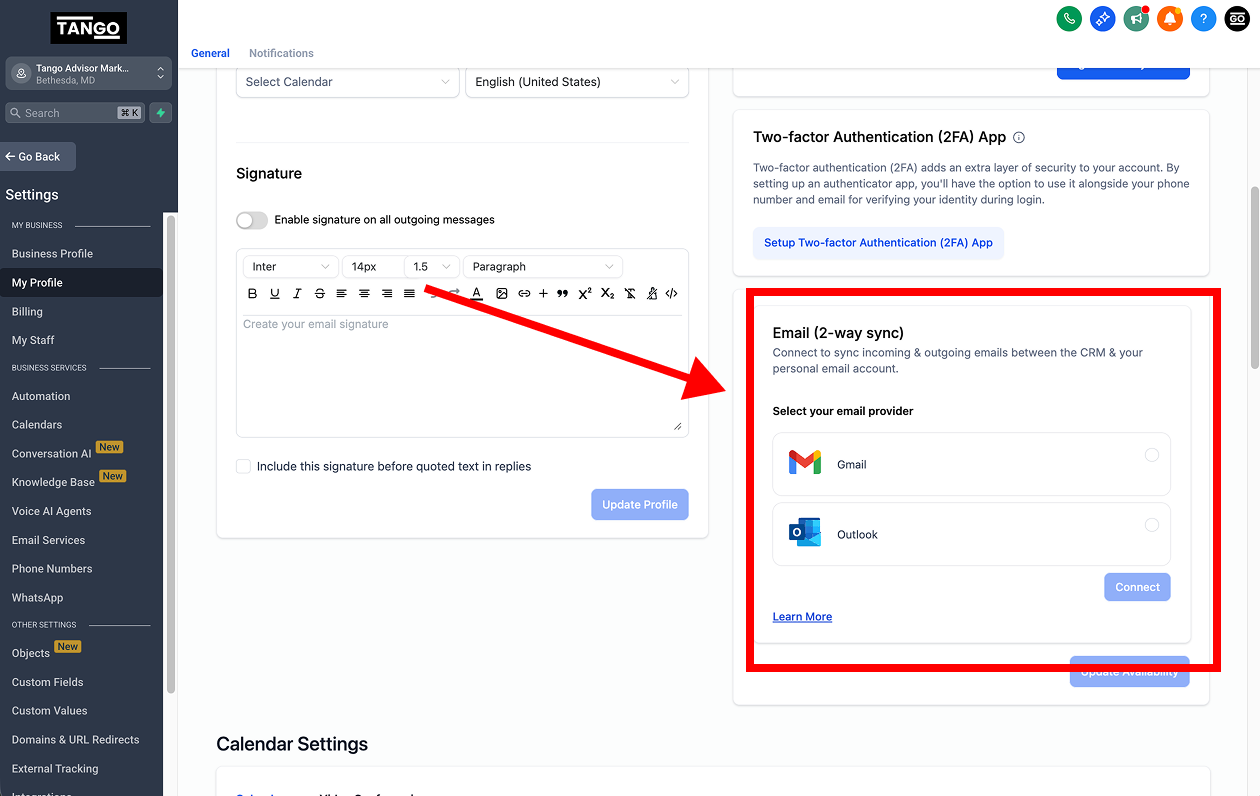
Choose your email provider and log in
Now you can send emails directly from within a contact's page in your dashboard.
How to connect your social media profiles
Log in to your dashboard
Go to login.tangomarketing.co.
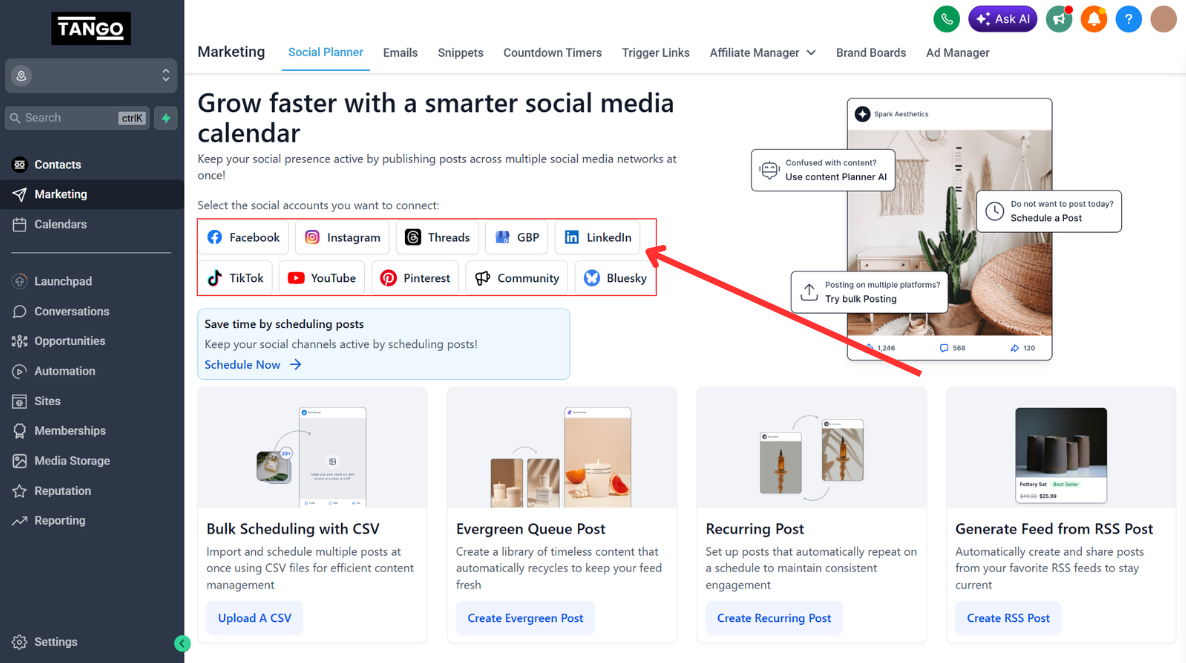
Open the Marketing tab
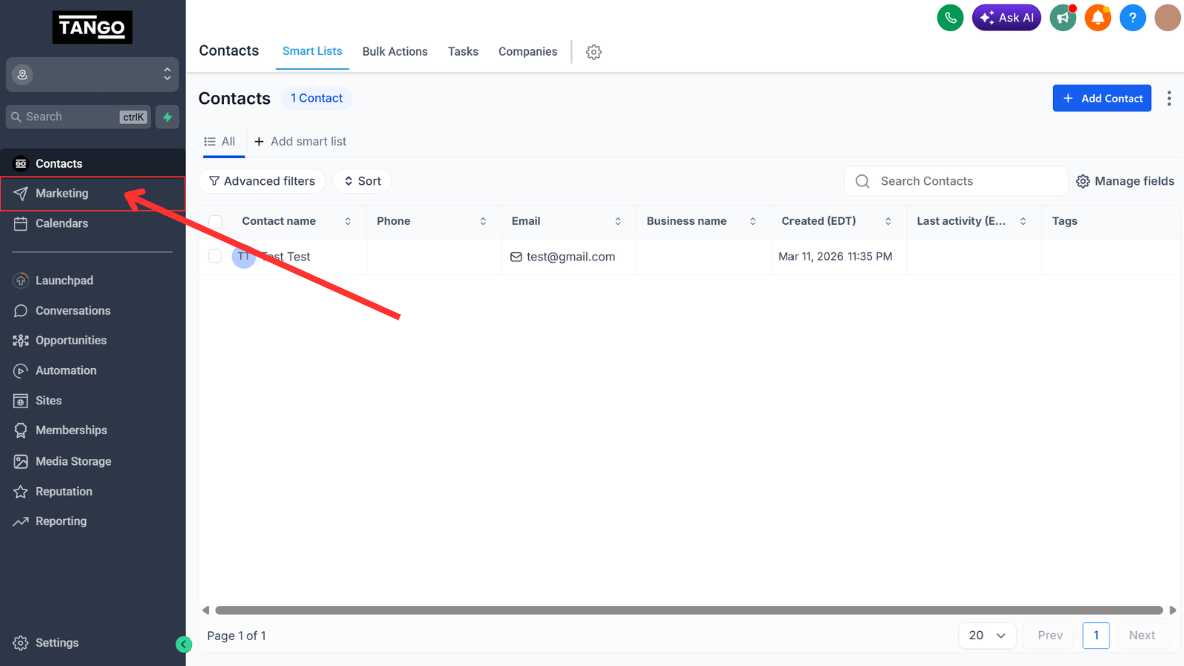
Connecting your first account
Click a social portal icon and log in.
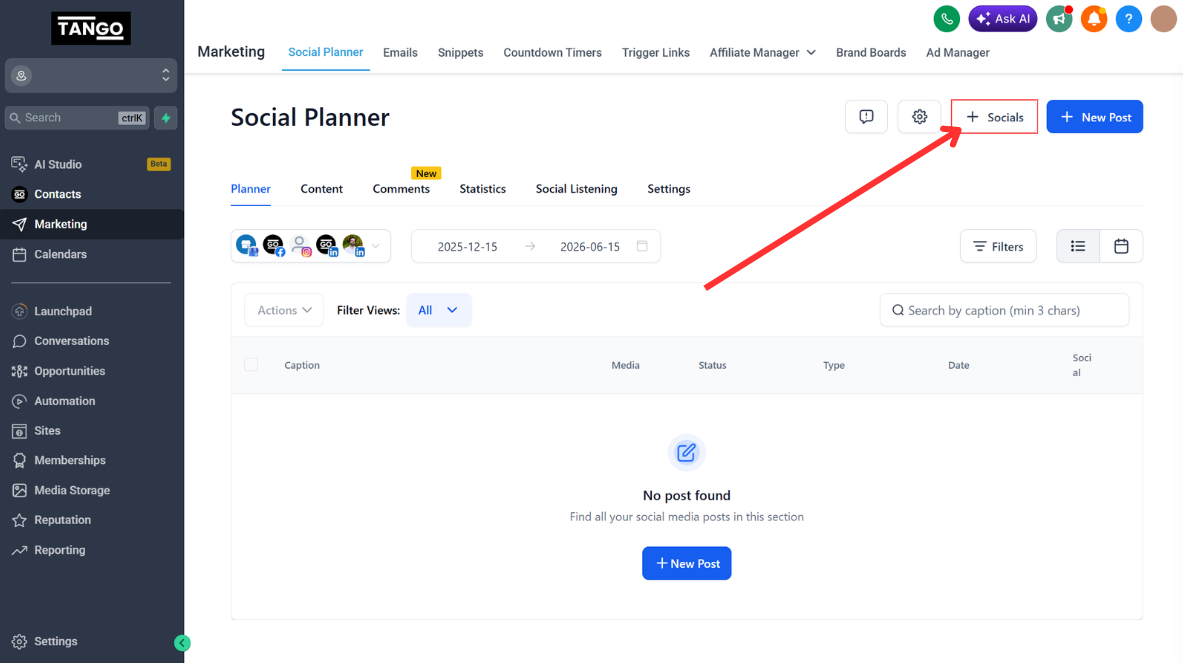
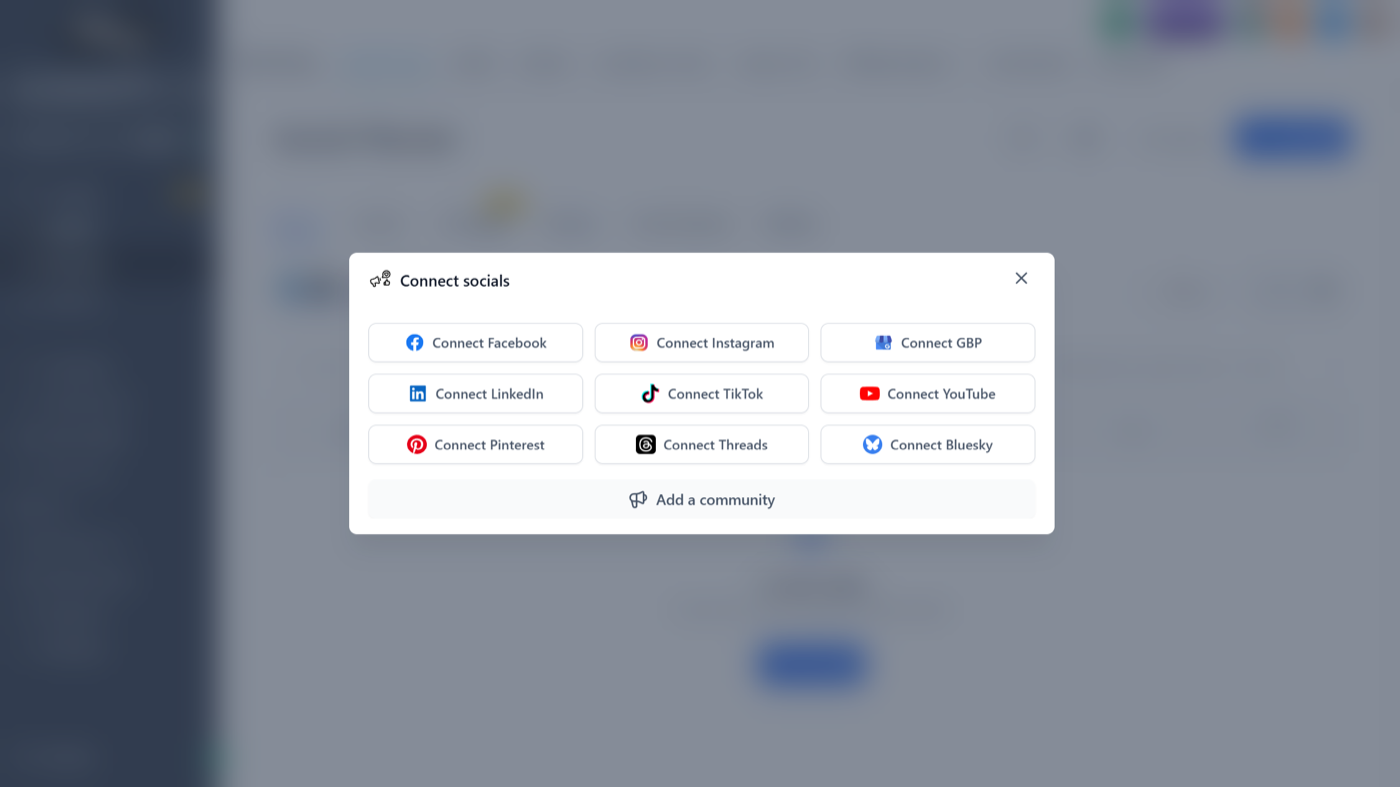
Connecting additional accounts
Click the "Add socials" box and log in to the social account.
Have a question?
Send us an email at support@tangomarketing.co and we will get right back to you. More walkthroughs are on our YouTube channel.