
Grant access to your
Google Business Profile.
Five quick steps so we can optimize your profile.
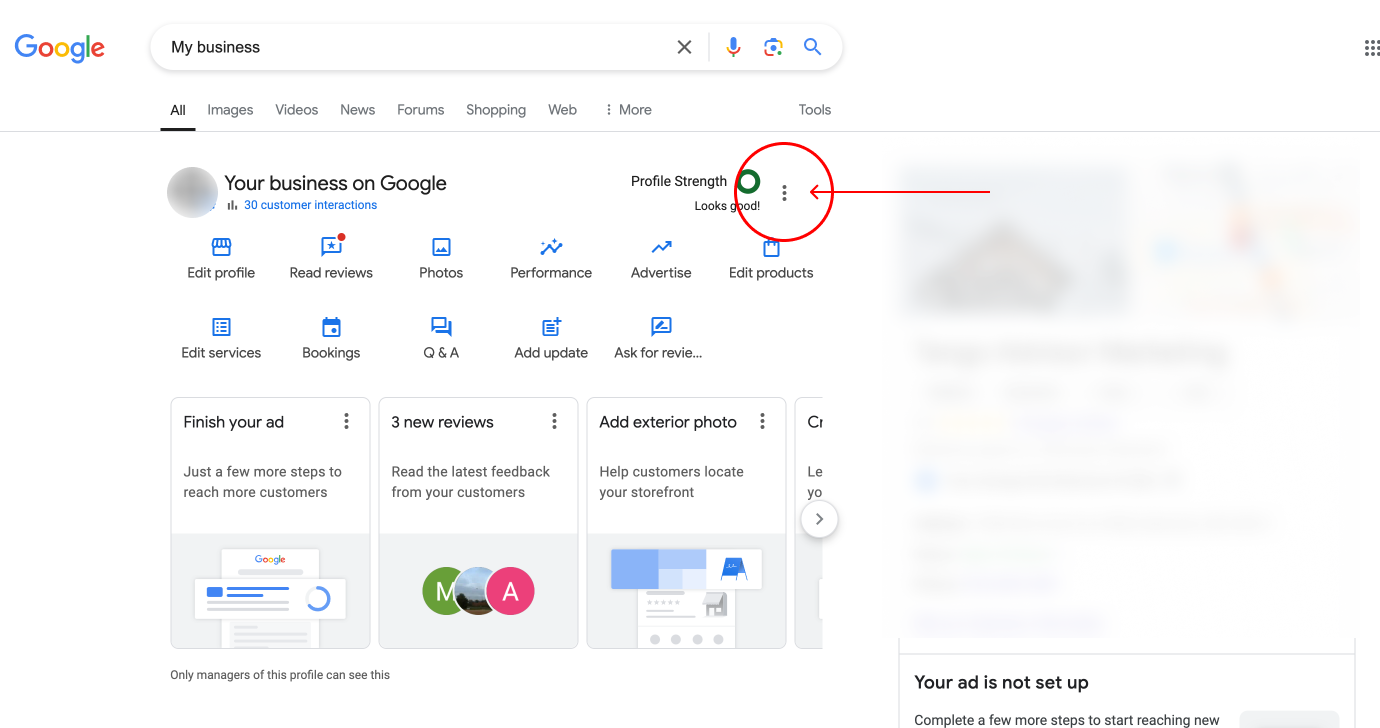
Open your Business Profile menu
Make sure you are logged in to the Google account that owns your profile. Then type "My Business" into Google search, or click here. Click the three dots circled in red on the screenshot.
If you type "my business" and do not see these options, send us an email at support@tangomarketing.co and we will get on a call to help you.
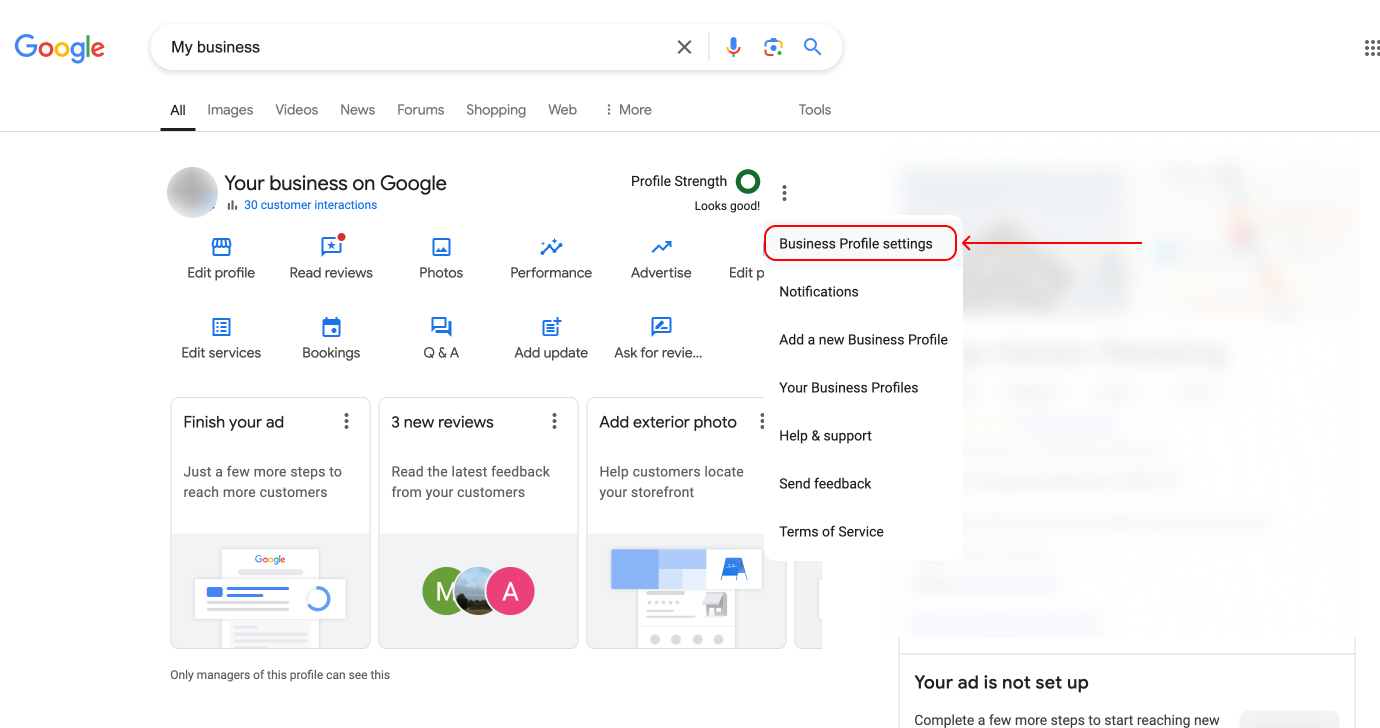
Click "Business Profile settings"
A menu appears. Click "Business Profile settings".
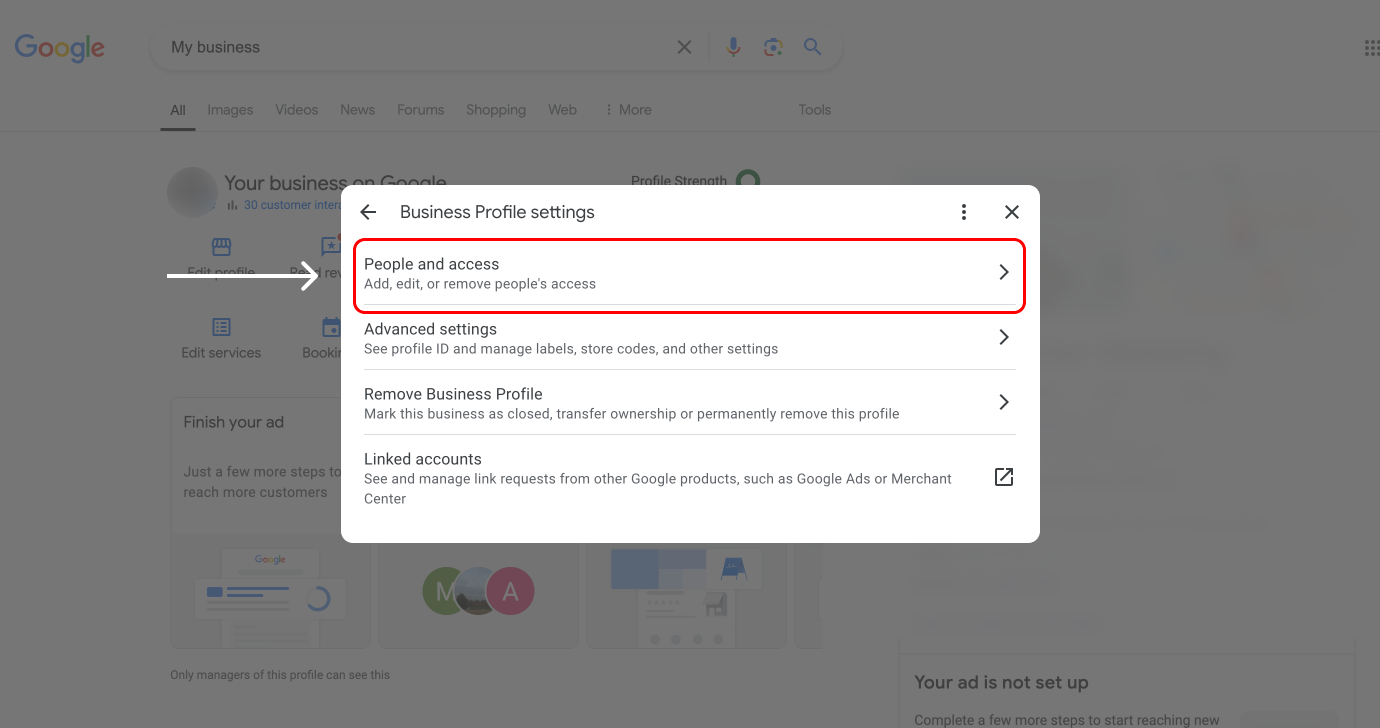
Click "People and access"
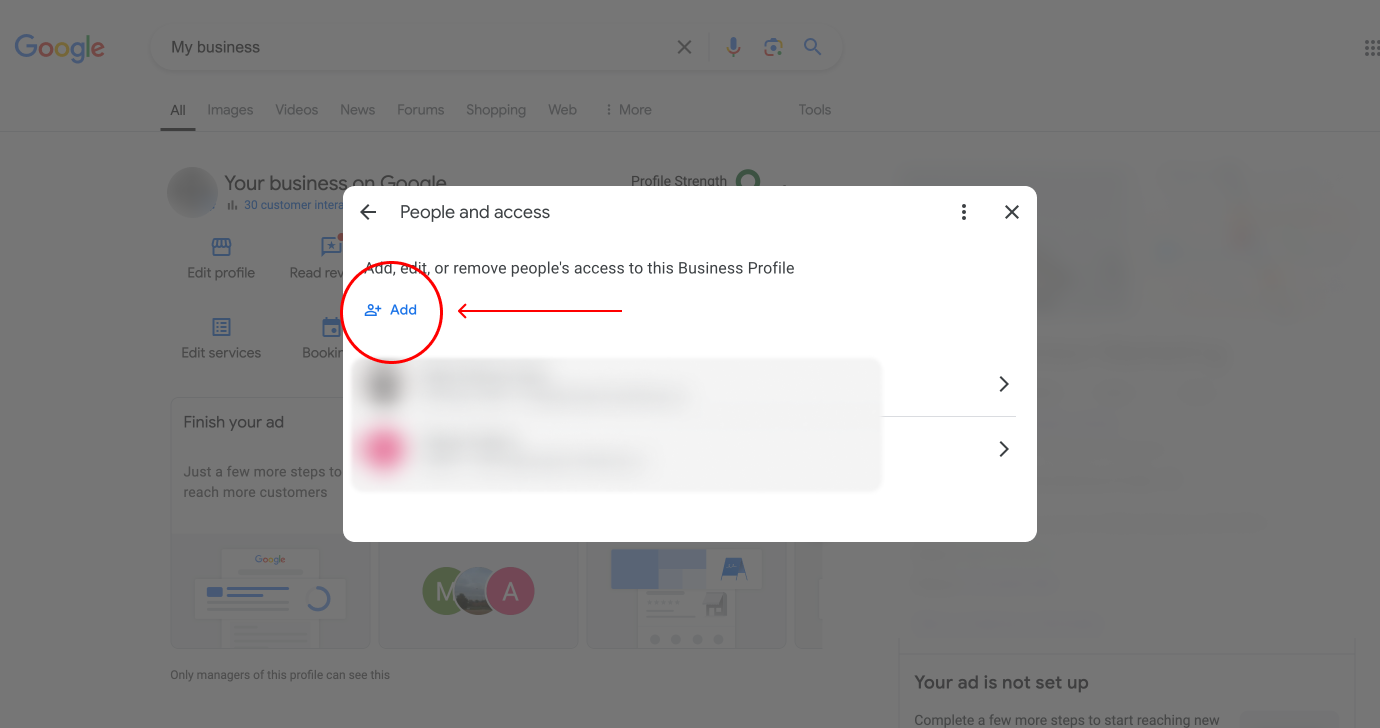
Click "Add"
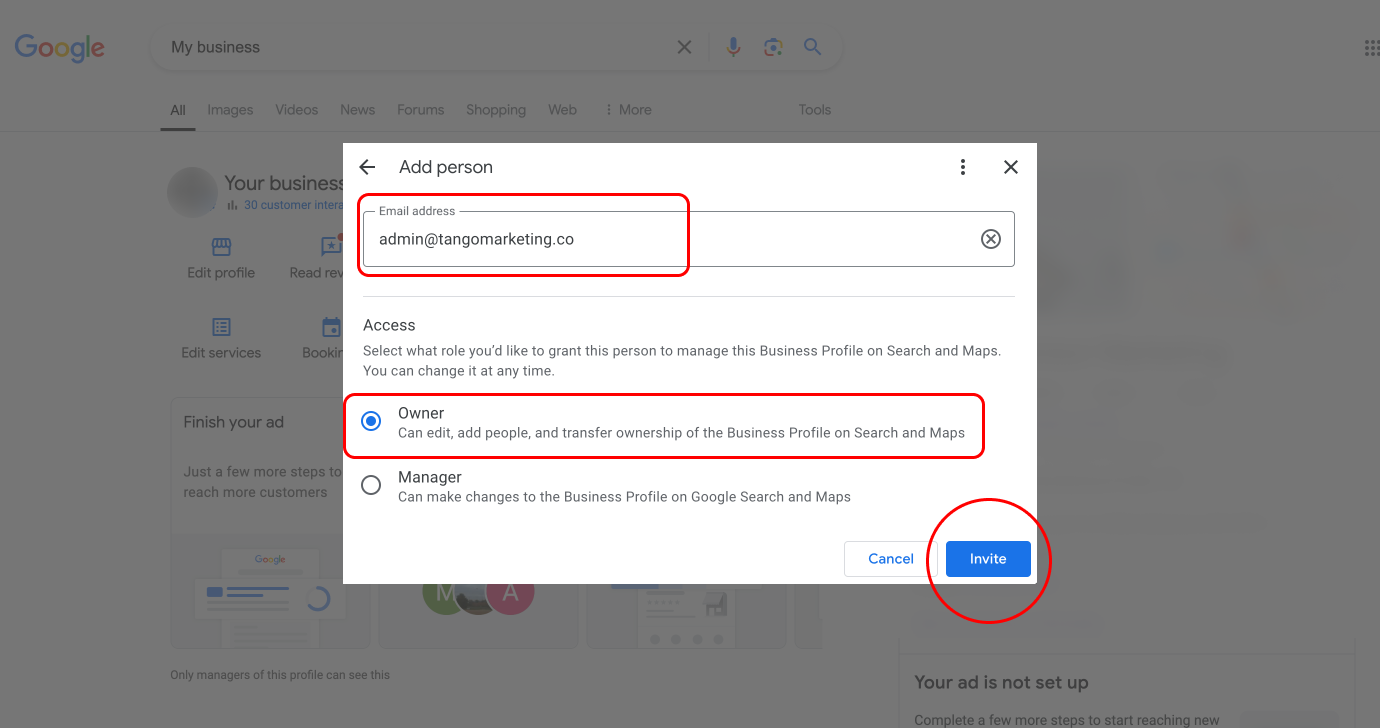
Invite Tango as a manager
- Enter the email address admin@tangomarketing.co
- Select "Manager" as the access level
- Click "Invite"
That's it.
Once we receive access we will start optimizing your profile. Questions? Email support@tangomarketing.co.